Two powerful desktop tools for Instagram and X (Twitter) automation. AI-powered content generation, smart queue scheduling — and your social media passwords stay completely private.
Full-featured 3-day free trial for each desktop app · No payment required
Watch how IG Pulse Pro works in real time
Built for creators and marketers who take their social media seriously. No generic templates. No risky bots. Just clean, professional automation.
A fully-featured Windows desktop app for your entire Instagram content pipeline — from AI-generated visuals to scheduled queue publishing. Your login never touches the app.
Try the full desktop app free for 3 days
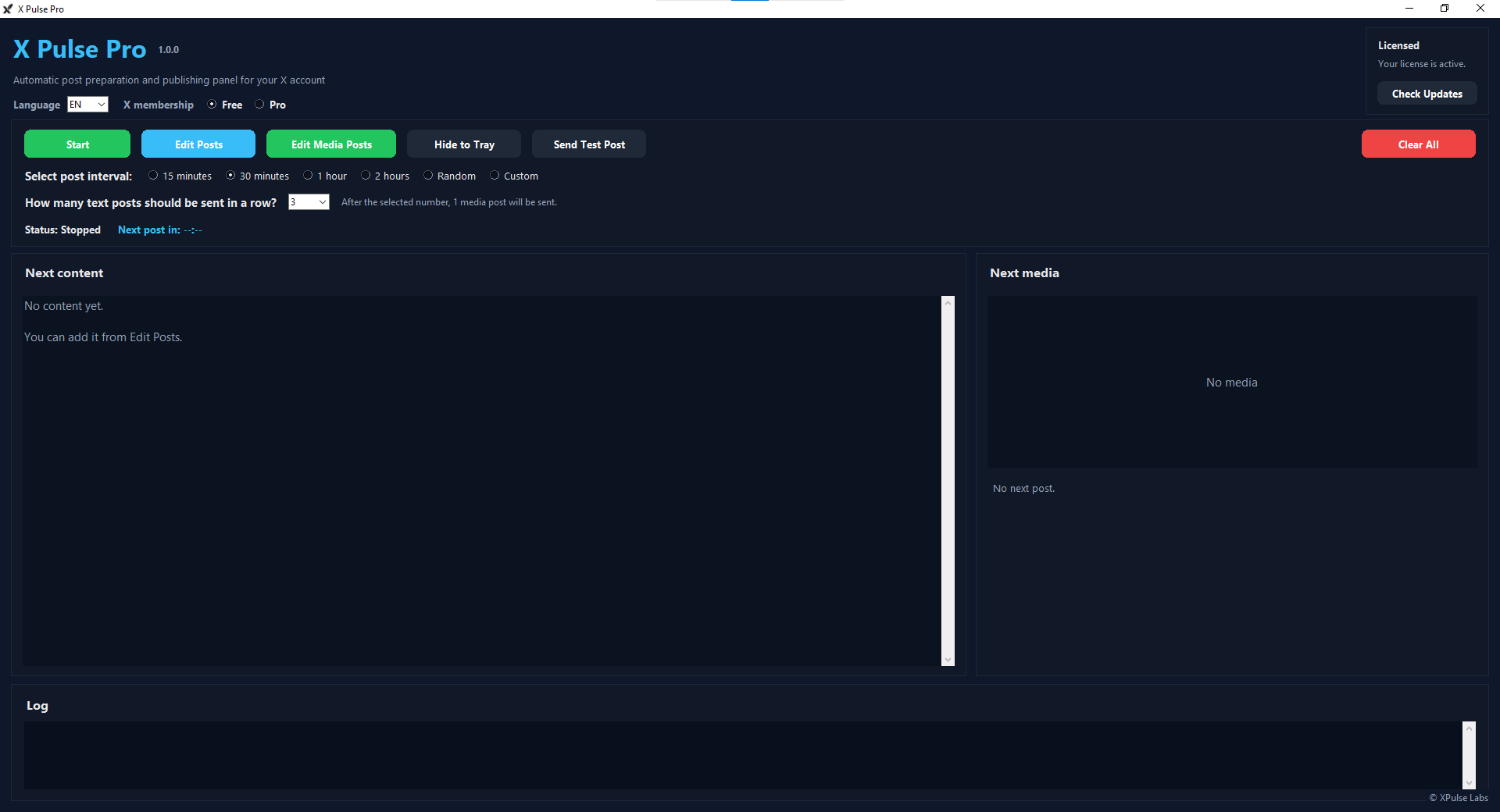
A streamlined Windows desktop app to automate your X posting. Bulk-import via CSV, mix text and media, set your interval, and let the queue handle everything through your browser session.
Try the full desktop app free for 3 days
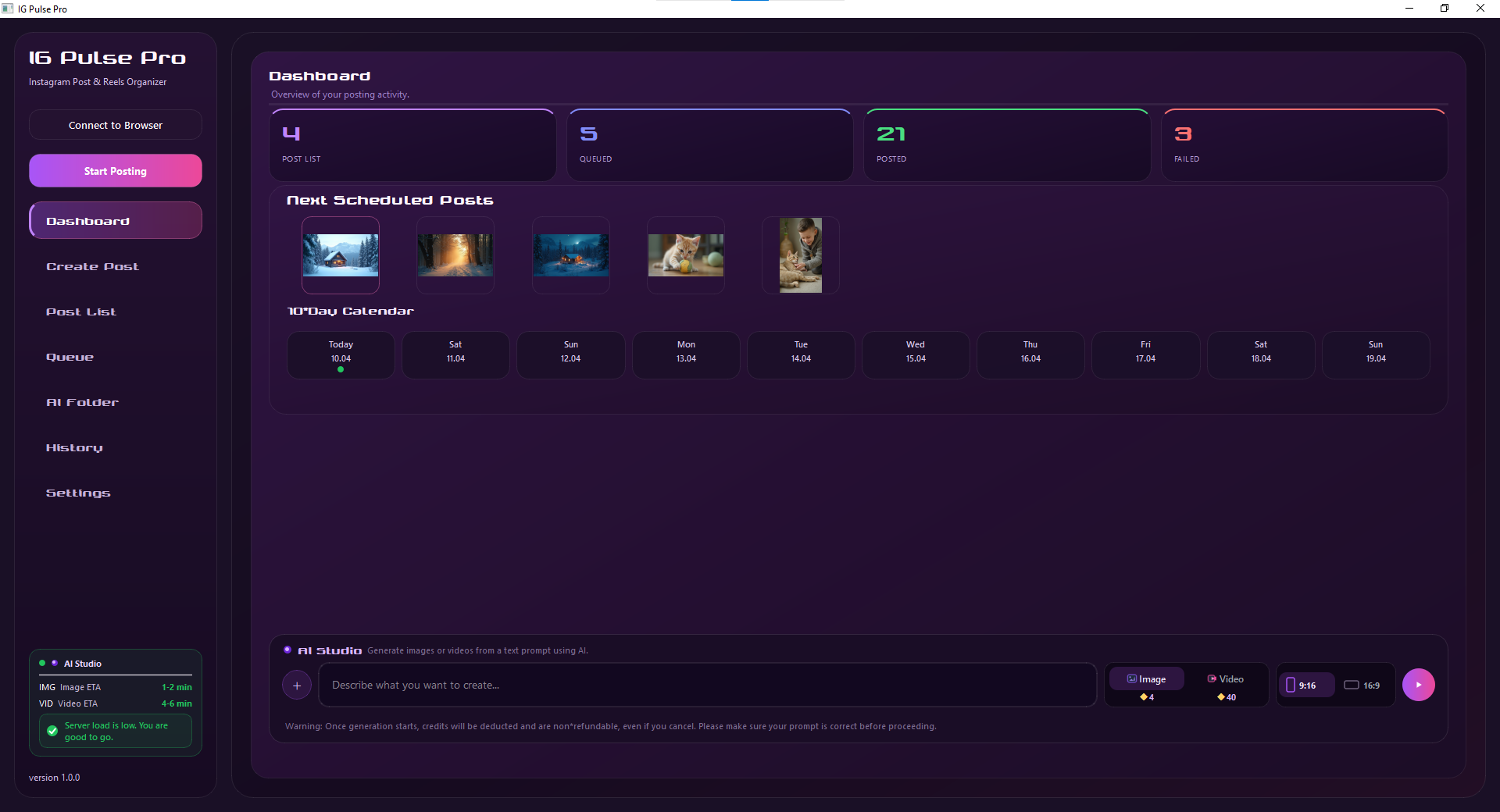
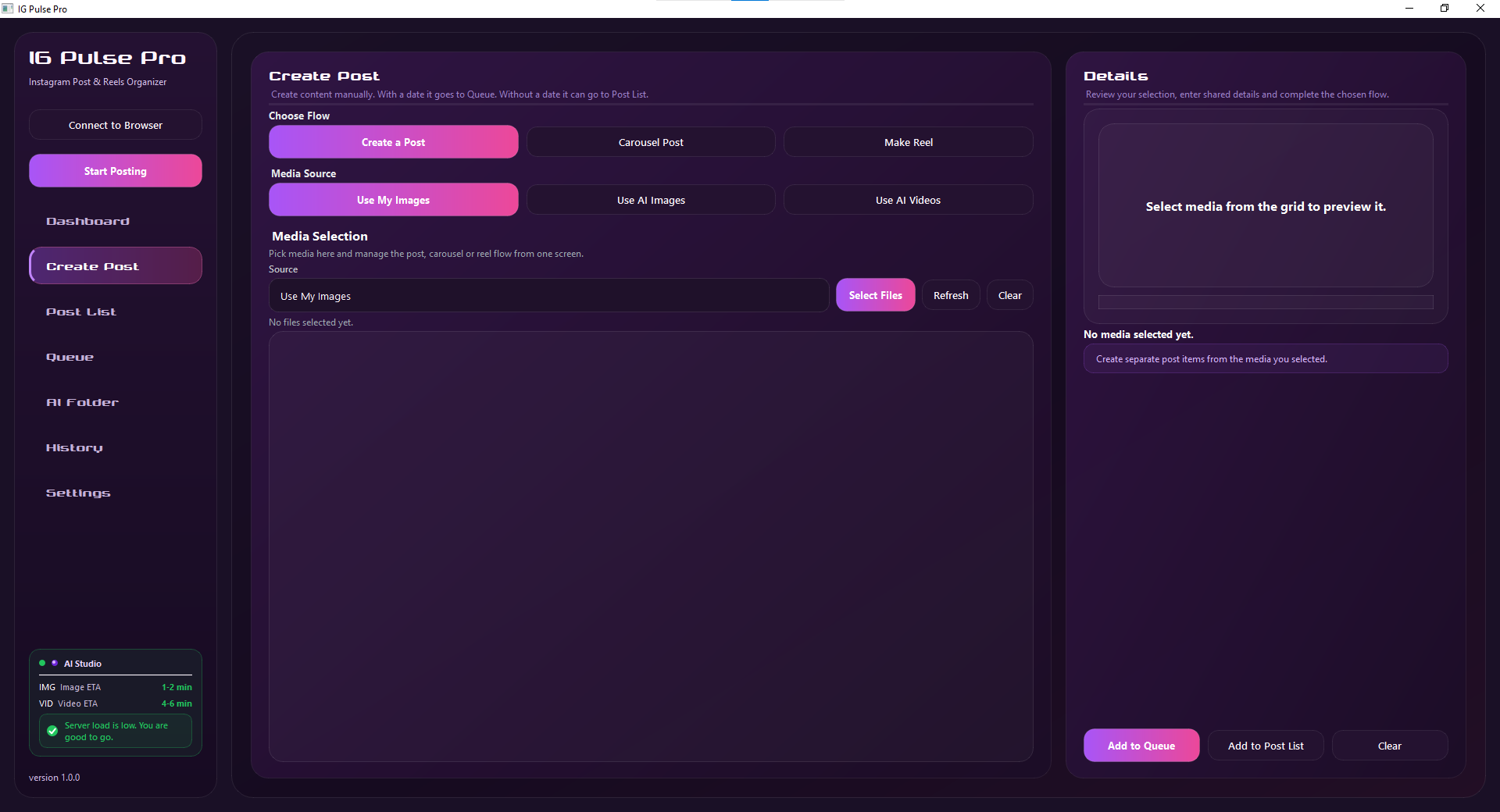
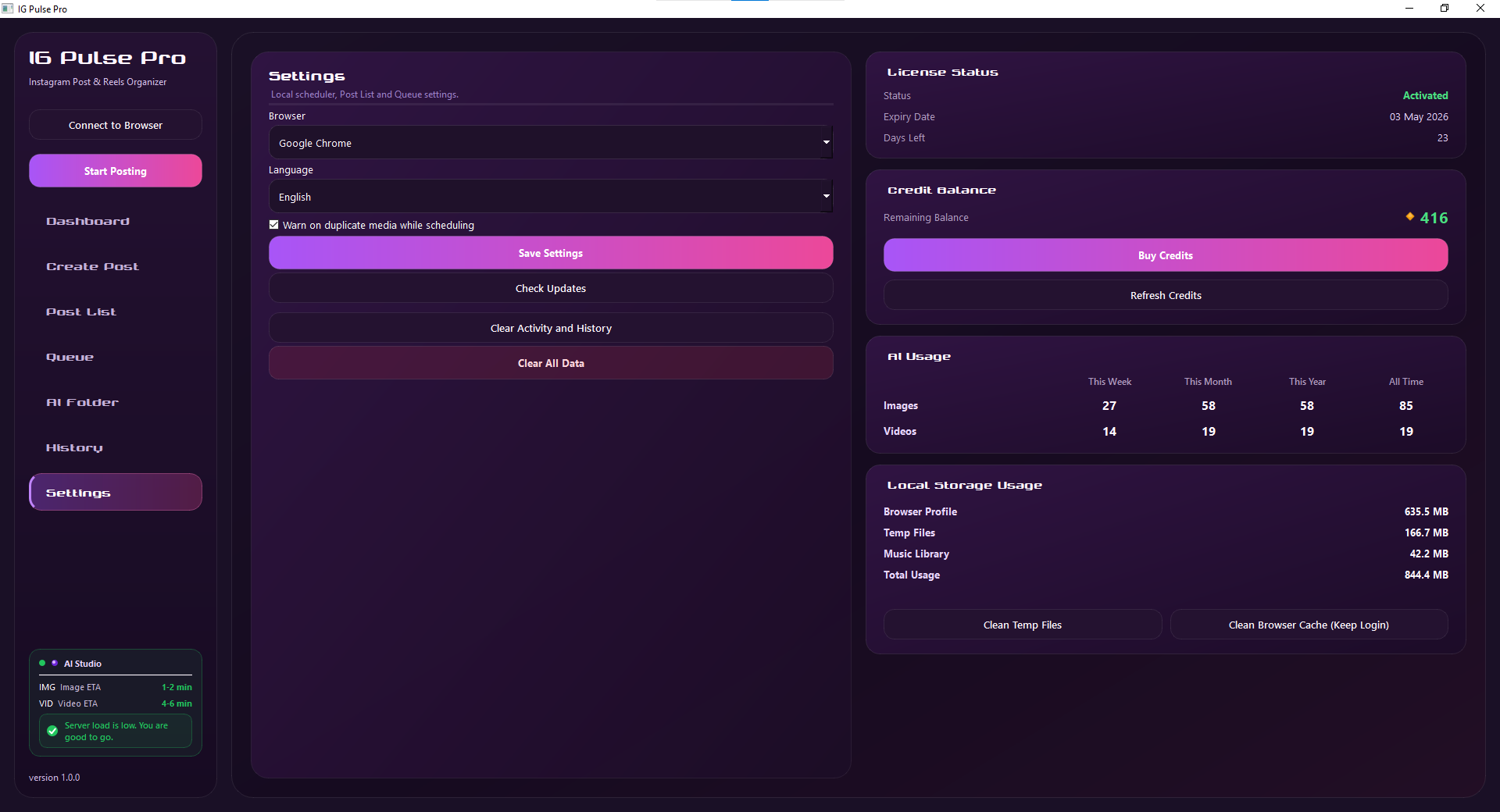
Your complete content pipeline — from AI generation to scheduled publishing — inside one dark, beautiful desktop app.
Generate post-ready images and videos directly inside the app. Use your credit balance to power AI content creation without switching tools or platforms.
Add posts and Reels to a visual queue and let IG Pulse Pro handle publishing at the right time. Dashboard shows your full upcoming schedule at a glance.
Full support for standard photo posts, carousel posts, and Instagram Reels. Choose your content type, set your caption, and let the queue run.
Connects to your existing Instagram session in Chrome. Your credentials never enter the app, never leave your browser, and are never stored anywhere.
Track every post published through IG Pulse Pro. Full history view lets you audit, review, and manage your entire publishing archive in one place.
AI generation → media selection → caption writing → queue → publish. Your whole Instagram workflow lives inside one clean, dark desktop interface.

Open Instagram in Chrome. IG Pulse Pro connects to your active session — no passwords needed.
Write captions, select or upload your media, choose post or reel format.
Optionally generate images or videos using your credit balance — straight from the app.
Push ready content to the publishing queue and configure your schedule timing.
IG Pulse Pro publishes automatically. Track everything in History.
Prepare your posts, build your queue, set your interval, and let X Pulse Pro handle the rest — completely through your existing browser session.
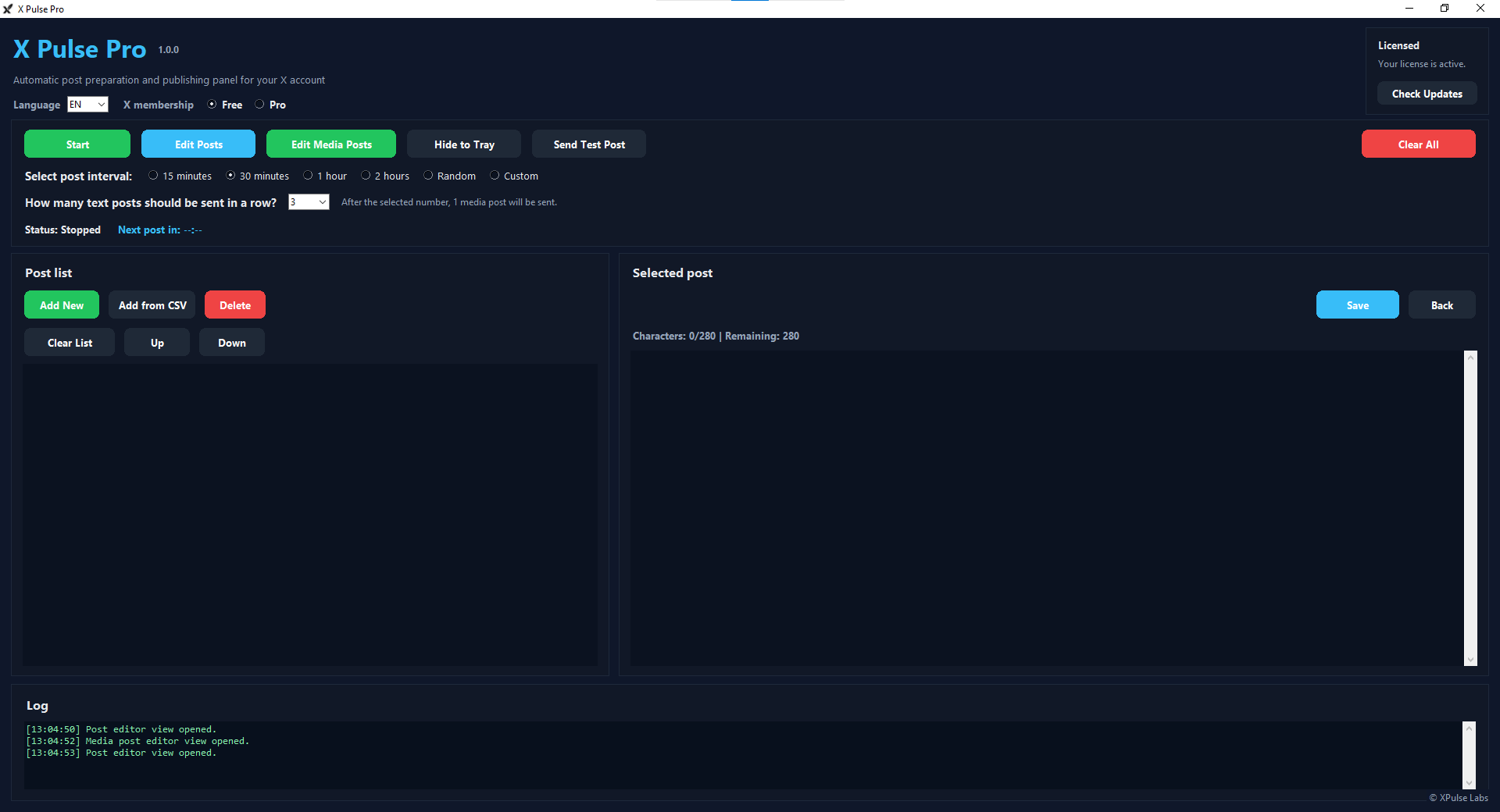
Prepare hundreds of posts in a spreadsheet and import them all at once. The fastest way to load up your X content queue without manual entry.
Choose 15 min, 30 min, 1 hour, 2 hours, Random, or fully Custom intervals. Control exactly how often posts go out to keep your feed natural.
Set how many text posts appear before a media post. X Pulse Pro alternates them automatically so your timeline never looks like a bot.
Maintain separate text and media post lists. X Pulse Pro intelligently pulls from both based on your alternating configuration.
Keep X open in your browser and X Pulse Pro uses that live session. Zero credentials enter the app. Zero risk to your account access.
Add, edit, reorder, and delete posts from a clean list interface. Total control over your content pipeline at every stage.
Write your posts inside the app, or prepare a CSV with all your content ready.
Click "Add from CSV" to bulk-load your entire post list in one go.
Have X (Twitter) open in your browser. No login required inside the app.
X Pulse Pro posts automatically at your configured interval. Monitor via the log.
USD and TRY pricing available. No hidden fees. Cancel anytime on monthly plans.
Credits power image and video generation in AI Studio. Purchased separately from your subscription — they never expire and can be topped up anytime. Image generation uses credits; video generation uses significantly more.
⚠️ Image generation uses a standard credit amount per image. Video generation consumes significantly more credits due to higher processing requirements and requires a reference image. Credits are separate from your subscription and are consumed only when you use AI Studio.
Both apps work entirely through your existing browser session — not your credentials. Professional desktop workflow, not a risky cloud bot.
Neither IG Pulse Pro nor X Pulse Pro ever asks for your social media passwords. Your credentials never touch the app — period.
The apps connect to your already logged-in browser. You stay authenticated naturally — the app simply automates the posting actions for you.
Everything runs on your own computer using your own browser and your own IP address. No cloud server sees your account actions.
Both are powerful. Here's exactly how they differ.
| Feature | IG Pulse Pro | X Pulse Pro |
|---|---|---|
| Platform | X (Twitter) | |
| Queue-based scheduling | ✓ | ✓ |
| No password required | ✓ | ✓ |
| Browser session connection | ✓ | ✓ |
| Windows desktop app | ✓ | ✓ |
| AI Image Generation | ✓ (credits) | — |
| AI Video Generation | ✓ (credits) | — |
| Reels Support | ✓ | — |
| Carousel Posts | ✓ | — |
| Post History | ✓ | — |
| CSV Bulk Import | — | ✓ |
| Alternating Post Logic | — | ✓ |
| Custom Post Intervals | — | ✓ (5 options) |
| Credit System | ✓ (AI Studio) | — |
| Starting Price | $9,99 / month | $2.99 / month |
Everything you need to know before buying.